smallest_observation = 1
largest_observation = 87
sample_size = 10

range_width = largest_observation - smallest_observation
print(range_width)86This is a quick, practical on-ramp rather than a complete Python course. It covers the small set of ideas used throughout the book. If you already write Python comfortably, skim it or skip to Chapter 1. If this is your first programming book, move slowly, run every cell, change a value, and see what happens. A slower introductory Python resource can be a useful companion.
The goal is modest: by the end of this chapter, you should be able to keep a small dataset in a variable, transform it with a function, and ask a simple question about its tail.
A value is a piece of data. A name lets us use that value again. Python reads an assignment from right to left: calculate the expression on the right, then store its result under the name on the left.
smallest_observation = 1
largest_observation = 87
sample_size = 10
range_width = largest_observation - smallest_observation
print(range_width)86Numbers may be integers, such as 10, or decimal-valued floats, such as 10.0. Python does the arithmetic for us, but it cannot decide what a number means. Naming a value sample_size is more useful than naming it n when the reader is still learning the program.
A function groups a calculation under a name. Inputs go between the parentheses; return gives the result back to the caller.
def mean(values: list[float]) -> float:
    """Return the arithmetic average of a nonempty list."""
    return sum(values) / len(values)

print(mean([1.0, 2.0, 3.0]))2.0The annotations list[float] and -> float are type hints: they tell a human and a checking tool what the function expects and returns. Python does not require them, but this book uses them when they make an idea easier to follow.
A list keeps observations in order. Indexing starts at zero, so the first value is observations[0]. A dictionary instead looks up a value by a name.
observations = [1, 1, 2, 1, 2, 1, 1, 3, 1, 87]

first = observations[0]
ordered = sorted(observations)
settings = {"source": "toy example", "units": "count"}

print(first, ordered, settings["units"])
1 [1, 1, 1, 1, 1, 1, 2, 2, 3, 87] countUse if when the next action depends on a condition. Indentation is part of Python’s syntax: the indented lines belong to the condition or loop above them.
for observation in observations:
    if observation > 10:
        print(f"Large observation: {observation}")
Large observation: 87A list comprehension is a compact way to make a new list. It is useful when the transformation is simple; write an ordinary loop when it would be clearer.
loggable = [value for value in observations if value > 0]
squared = [value ** 2 for value in loggable]

print(squared)
[1, 1, 4, 1, 4, 1, 1, 9, 1, 7569]Here is enough Python to implement a first distributional question. The empirical survival function asks what fraction of the observed data are larger than a threshold.
def empirical_survival(data: list[float], threshold: float) -> float:
    """Return the observed fraction strictly above ``threshold``."""
    exceedances = sum(value > threshold for value in data)
    return exceedances / len(data)

for threshold in [1, 2, 10, 50]:
    print(threshold, empirical_survival(observations, threshold))
1 0.4
2 0.2
10 0.1
50 0.1value > threshold is either True or False. In a sum, Python treats True as one and False as zero, so exceedances counts the observations above the threshold. Later chapters will make this small function more useful; for now, notice the habit it encourages. We did not discard 87 before asking what it says about the data.
Simulations are experiments. Give them a seed so that readers can reproduce the same experiment while learning.
import random

rng = random.Random(2026)
rolls = [rng.randint(1, 6) for _ in range(20)]
print(rolls)
[1, 3, 5, 5, 6, 1, 2, 5, 5, 5, 4, 5, 5, 6, 4, 5, 4, 2, 1, 5]To plot a relationship, give the axes names before drawing a conclusion from the picture.
import matplotlib.pyplot as plt

thresholds = [1, 2, 10, 50]
survivals = [empirical_survival(observations, t) for t in thresholds]

plt.plot(thresholds, survivals, marker="o")
plt.xlabel("threshold")
plt.ylabel("observed fraction above threshold")
plt.title("A tiny empirical survival function")
plt.show()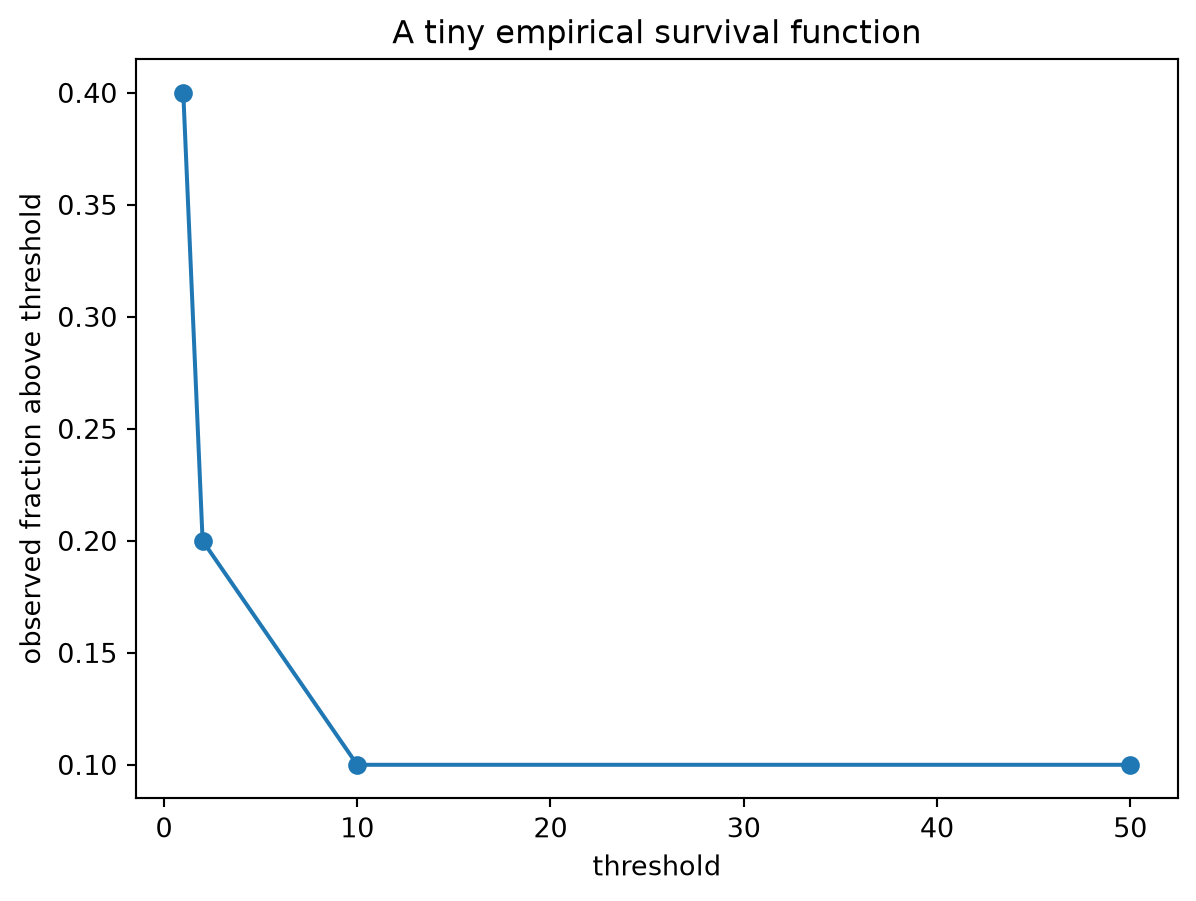
This plot is only a picture of ten observations. It does not identify a distribution or prove anything about a tail. It does give us a way to look before we summarize.
An import makes code from another module available: random supplies random number generators, and matplotlib.pyplot supplies plotting functions. Read the last line of an error message first. A NameError usually means Python does not know a name; a TypeError often means an operation received the wrong kind of value. Errors are information about the program, not evidence that you are not ready to continue.
The rest of the book uses these same building blocks. You will encounter more Python, but no chapter assumes that clever syntax is more important than a clear question and a small, inspectable implementation.